Chrome extension
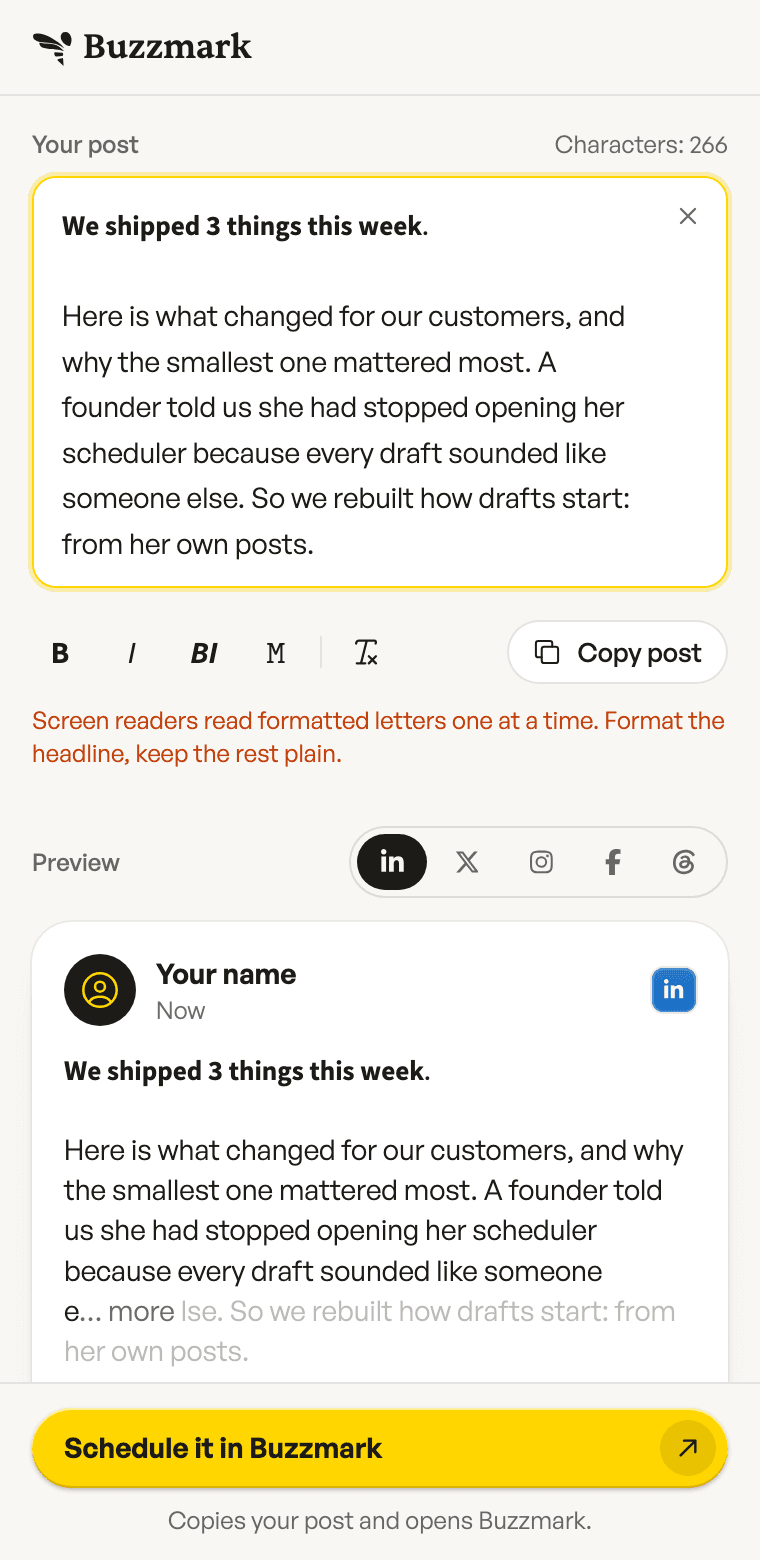
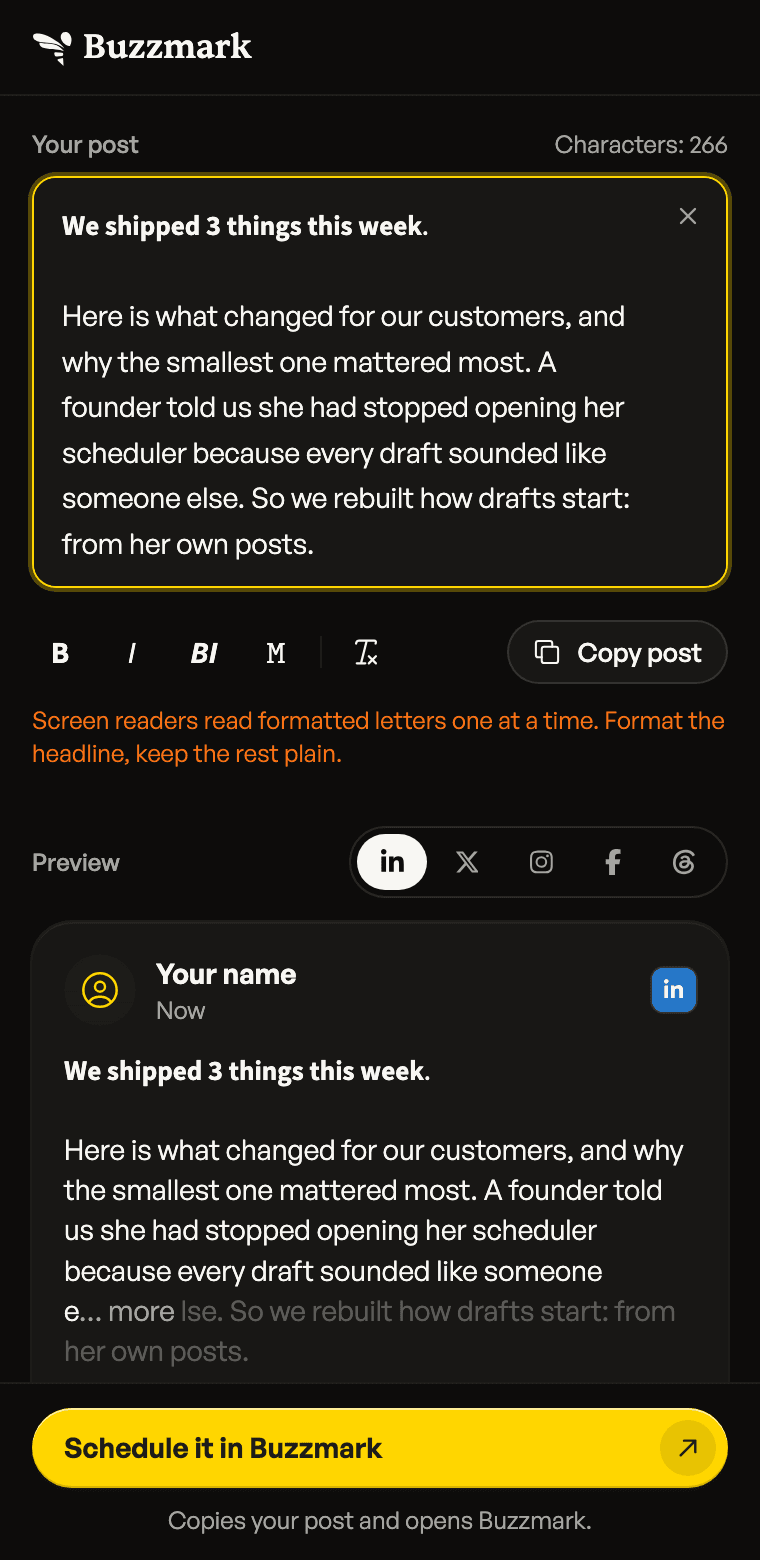
Bold your hook. See where the feed folds it.
The Buzzmark Chrome extension is a free side panel for writing a social media post.
It makes words bold or italic for LinkedIn, shows where LinkedIn, X, Instagram, Facebook and Threads fold your post behind "more", and counts characters for 8 platforms.
It needs no account, and your draft stays in your browser.
Text formatter
Bold on LinkedIn, which has no bold button.
Select your first line and press Bold. The letters are Unicode look-alikes, so the style survives a paste into LinkedIn, X or Instagram. Screen readers spell them out one at a time, so the panel says it: format the headline, keep the rest plain.
- Typed
- We shipped 3 things this week.
- Bold
- 𝗪𝗲 𝘀𝗵𝗶𝗽𝗽𝗲𝗱 𝟯 𝘁𝗵𝗶𝗻𝗴𝘀 𝘁𝗵𝗶𝘀 𝘄𝗲𝗲𝗸.
- Italic
- 𝘞𝘦 𝘴𝘩𝘪𝘱𝘱𝘦𝘥 3 𝘵𝘩𝘪𝘯𝘨𝘴 𝘵𝘩𝘪𝘴 𝘸𝘦𝘦𝘬.
- Monospace
- 𝚆𝚎 𝚜𝚑𝚒𝚙𝚙𝚎𝚍 𝟹 𝚝𝚑𝚒𝚗𝚐𝚜 𝚝𝚑𝚒𝚜 𝚠𝚎𝚎𝚔.
Post preview
See what readers get before "more".
LinkedIn folds a post after about 210 characters, Instagram after about 125, Facebook after about 477, and X folds a long post at 280. The preview dims what sits behind the fold, so you can move the hook above it.
Northlight Studio
Now
𝗪𝗲 𝘀𝗵𝗶𝗽𝗽𝗲𝗱 𝟯 𝘁𝗵𝗶𝗻𝗴𝘀 𝘁𝗵𝗶𝘀 𝘄𝗲𝗲𝗸. Here is what changed for our customers, and why the smallest one mattered most. A founder told us she had stopped opening her scheduler because every draft sounded like someone e… more lse. So we rebuilt how drafts start: from her own posts.
Character counter
Know it fits before you paste.
One post, counted against 8 platforms at once: 280 on X, 500 on Threads, 3,000 on LinkedIn. A link counts as 23 characters on X, the way X counts it.
LinkedIn
2,734 left
X
14 left
Threads
234 left
Instagram
1,934 left
TikTok
1,934 left
Bluesky
34 left
Pinterest
234 left
Facebook
No practical limit
In Buzzmark
Post written? Give it a time.
Schedule it in Buzzmark copies your post and brings you here. Paste it into a new Buzz, pick a time, and Buzzmark posts it to Instagram, LinkedIn, Facebook, X, Threads, TikTok and Google Business.
What the extension can reach
- Permissions
- Two: the side panel it opens in, and storage for your draft. Chrome shows no warning for either.
- Your draft
- Kept in your browser's own storage. It is never sent to Buzzmark or to an AI.
- The pages you visit
- Never read and never changed. The panel sits beside LinkedIn or X, not inside them.
- Languages
- 13, following your browser's language: English, Spanish, German, Japanese, French, Portuguese (Brazil), Italian, Dutch, Polish, Turkish, Indonesian, Korean, Swedish.
Questions about the extension
Yes. The formatter, the preview and the counter all work without an account or a payment.
Yes. LinkedIn has no bold button, so the extension swaps letters for Unicode look-alikes that stay bold after a paste. Only A to Z and 0 to 9 change; letters like å or ü stay as they are.
After about 210 characters, behind "more". Instagram folds a caption after about 125 and Facebook after about 477. X folds only a long post, at 280, and Threads shows the whole post.
No. It has no access to any website. It opens in Chrome's side panel and works only on the text you type or paste into it.
No. An account is only for scheduling the post in Buzzmark afterwards.