Threads, next to X, from the same Buzz.
Threads takes the same short format as X, so one Buzz can go to both. Tick both accounts, and give either one a version of its own when it needs one.

Northlight Studio
@northlightstudio
New week, new hallway. This one is 94 cm wide, and the family wants somewhere to sit and pull boots off. By Friday it gets a 30 cm deep bench and a wall light that runs on a battery, so nobody has to cut into the plaster.
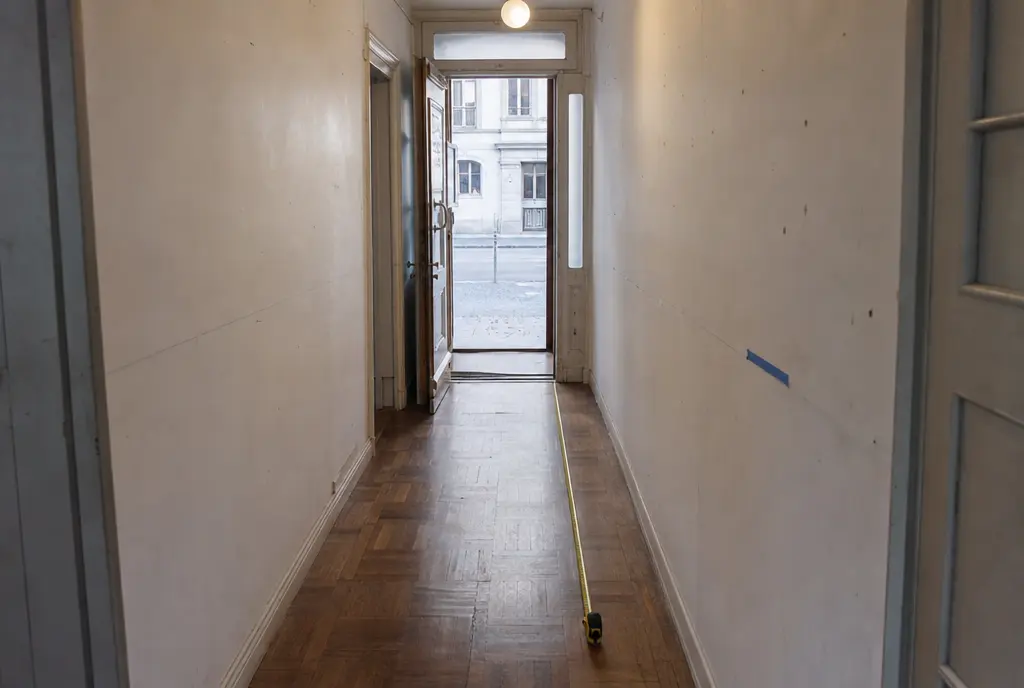
A sample post for a made-up design studio.
What Buzzmark does on Threads
Threads of up to 25 posts
Each post holds up to 500 characters, counted as you write.
Pictures or a video
Up to 10 pictures in JPG or PNG, 8 MB each, or one MP4 video up to 1 GB.
Tags that land
Type an @handle and Buzzmark confirms it as a tag on Threads.
Views, replies and reposts
Threads reports views rather than impressions. Buzzmark shows views, likes, replies and reposts for each post.
Replies in Reach
Read and answer replies to your Threads posts next to your other comments.
What Threads takes
Read from the same rules the composer checks every post against, so this list and the product never disagree.
- Length
- Up to 500 characters a post
- Pictures
- Up to 10, JPG or PNG, 8 MB each
- Video
- One per post, MP4, up to 1 GB
- Threads
- Up to 25 posts in a thread
- @mentions
- A typed @handle tags the account
- Measured
- Views, likes, replies and reposts
- After it goes out
- Recycle
From your website to your feed
- 1
Paste your website
The Hive reads it and sets up your voice, colours and products. You fix anything it got wrong.
- 2
Connect the account
Sign in on the platform from your brand's settings. Buzzmark never sees your password.
- 3
Plan the week
Buzz writes drafts in your voice. You edit them and drop them into your best times.