Pins that send people to your shop.
Buzzmark schedules Pinterest pins: one picture or one video to the board you pick, with a title and a link back to your shop or site.
Buzz, its AI writer, writes the description in your voice for people searching Pinterest, up to 800 characters, and a picture Buzzmark made carries Pinterest's AI label.
Impressions, saves and link clicks come back to Buzzmark for every pin.
It's for shops, studios and makers whose work photographs well. Carousel pins and Idea Pins aren't offered.
7 days free for new users.

Northlight Studio
@northlightstudio
Small living room in deep green: a velvet sofa, sheer curtains hung high and one brass lamp. The paint, the fabric and the plan are on our site.
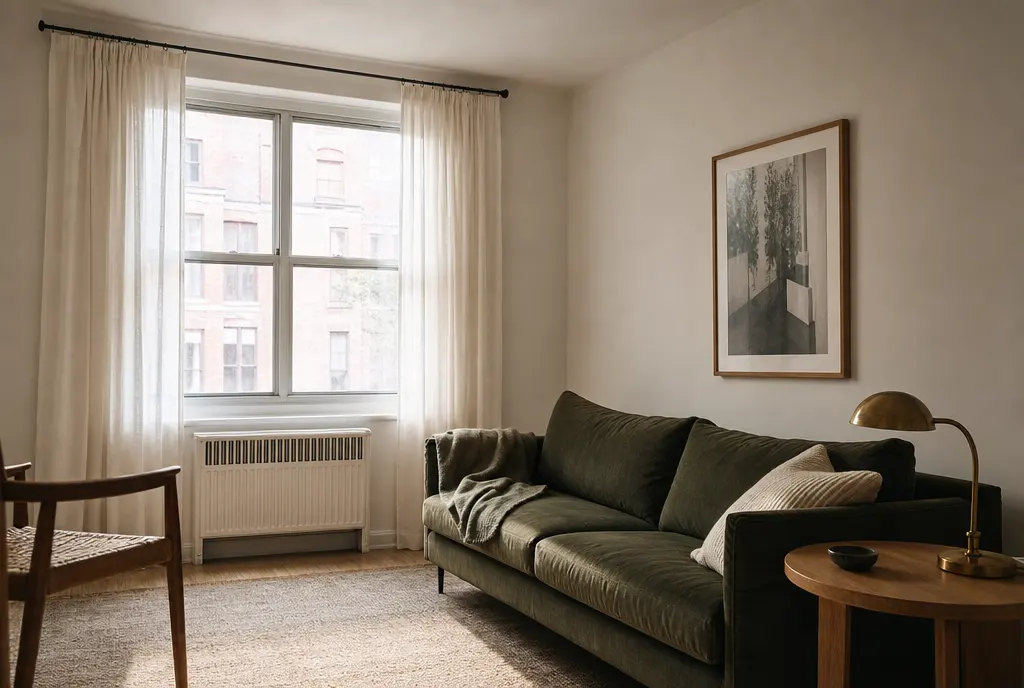
A sample post for a made-up design studio.
What Buzzmark does on Pinterest
The board you pick, every pin
After you sign in, Pinterest asks which board to pin to. Every pin needs a picture or a video. Each pin names its board, and Buzzmark never guesses between several.
A title people search for
Up to 100 characters, the first 40 shown in the feed. Leave it empty and the pin takes the post's first line.
A link back to you
Starts with your Hive's website. It has to be https, and never a link shortener Pinterest can refuse.
Shaped for the feed
Pinterest shows a 2:3 picture biggest. The composer marks a picture that won't fit and lets you frame it for Pinterest only.
Made with AI, labelled
A picture Buzzmark made goes out with Pinterest's AI label switched on, and you can switch it on for any other.
Video pins
One MP4 or MOV from 4 seconds to 15 minutes, with the frame the app shows as its cover.
What Pinterest takes
The composer checks every post against these before you schedule it.
- Length
- Up to 800 characters a post
- Post types
- A picture pin or a video pin, to one board you pick
- Title
- Up to 100 characters, the first 40 shown in the feed
- Link
- One https link per pin, never a shortener
- Pictures
- One per post, JPG, PNG, WebP or GIF, up to 10 MB, at least 100 x 100
- Every post
- Needs a picture or a video
- Video
- One per post, MP4 or MOV, up to 1 GB, 4 seconds to 15 minutes
- Threads
- A thread is joined into one post
- Measured
- Impressions, saves and link clicks
From your website to your feed
- 1
Paste your website
The Hive reads it, so Buzz knows your business before it writes a word. You fix anything it got wrong.
- 2
Connect the account
Sign in on the platform from your brand's settings, or paste an app password for Bluesky. Buzzmark never sees your account password.
- 3
Plan the week
Buzz writes drafts in your voice. You edit them and drop them into your best times.
Pinterest questions
A Pinterest account you sign in to. After you sign in, Pinterest asks which board to pin to, and you pick the board again for every pin.
Yes, one board per pin. Pick it in Schedule or Drop a Buzz each time. With two Pinterest accounts ticked, each one gets its own board.
No. A pin from Buzzmark is one picture or one video. Carousels from the studio go to LinkedIn, Instagram and TikTok.
No. Pinterest doesn't let apps edit a published pin, so check the title, the link and the board before you schedule it.
No. A planned week and weekly drafts leave Pinterest out, and pins are never recycled, because you choose the board, title and link for each pin.
No. Buzzmark shows a pin's impressions, saves and link clicks, and Pinterest comments stay on Pinterest.